Automated tagging with MetaWeblog API
January 26, 2010 · 304 views · 0 comments
Nearby In Time
.jpg) Facial Tweaks
January 24, 2010
Facial Tweaks
January 24, 2010
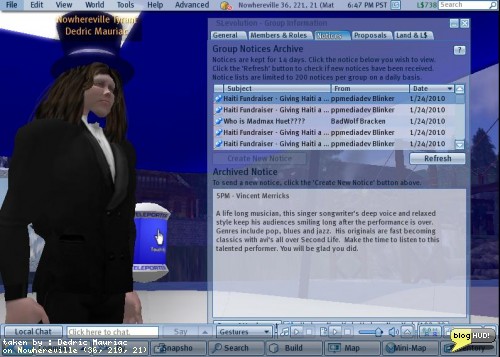 Spammy Groups
January 24, 2010
Spammy Groups
January 24, 2010
 Fuwa-Fuwa Bubble
January 25, 2010
Fuwa-Fuwa Bubble
January 25, 2010
 Enforcing TOS on Events
January 25, 2010
Enforcing TOS on Events
January 25, 2010
 Automated tagging with MetaWeblog API
January 26, 2010
Automated tagging with MetaWeblog API
January 26, 2010
 Twitter Flood
January 26, 2010
Twitter Flood
January 26, 2010
.jpg) Twitter Flood
January 26, 2010
Twitter Flood
January 26, 2010
 NaNoWriMo After Effects
January 29, 2010
NaNoWriMo After Effects
January 29, 2010
 100 Word Stories 197 - Whatever you choose
January 29, 2010
100 Word Stories 197 - Whatever you choose
January 29, 2010
About
I wanted to tag all of my posts on my wordpress blog with 1750 posts. I started researching how it could be automated. The first problem was to access all of the content. Blogs hosted on wordpress have sitemaps of all published posts and pages at /sitemap.xml. Using LINQ, I was able to go through each page and download a copy to my hard drive.I wanted to get the raw data of the original post, including metadata. For this, I found a few API's built upon the XML- RPC.Net platform. XML-RPC for dot net came with a few interaces including Blogger API, MetaWeblog API, and Movable Type API. Wordpress supports a combination of the various API's, and extends them.I noticed that I needed to hard-code the API endpoints. Some metho!
ds were supposed to be available to set the URL, but the author forgot to inherit the IXmlRpcProxy on both IMetaWeblog and IBlogger. I added it and this got me up and running to get some posts. The methods available only provide a way to get the most recent posts (no paging). When I attempted to get all of my posts, I got exceptions. I found that I could parse the identification of my posts with a regular expression against the HTML content that saved to my local hard drive. I was able to directly access individual posts by their ID.I ran into problems with enclosures (podcast audio files). I tracked the problem down to an error on a bad implimentation of the MetaWeblog API by wordpress itself. The file length is supposed to be an integer, representing the number of bytes. It is returned as a string. I changed the interface so that the length of enclosures is treated as a string.After that, I started to have a new problem. None of the data included!
any tagging information. I got down to bypassing the Xml-Rp!
c library and making a direct call with a WebClient to fetch a known page with tags. The response not only included the basic structure defined in the MetaWeblog API interface, but it included a ton more fields, including mt_keywords. With this new knowledge, I was able to add the following fields:mt_keywordswp_slugwp_passwordwp_author_idwp_author_display_namedate_created_gmtpost_statuscustom_fieldsstickyThe custom fields introduced a new structure as well with id, key, and value fields. Each field was a string except for sticky (a boolean), and the date created in GMT (a date). Armed with this updated interface, I was able to download all of my posts once more and serialize them as xml to be saved on my local hard disk. I had some nice caching built in to load up the serialized xml objects as a cache rather than hit against the website. I did this for other files as !
well including the html, but that was saved as raw html rather than as an object.I now had a list of all published links in my site, and the serialized data for each published post. The next trick was to automate the keyword extraction. For this, I used Yahoo! with the content analysis API for Term Extraction. You can try this out for yourself without needing to learn how to program by copy & paste text into the form provided at Yahoo! Keyword Phrase Term Extraction Form on SEO Tools (Search Engine Optimization). In fact, I had originally used this form to discover keywords for a few of my posts before venturing out to find an automated solution.I signed up for an application id and started going to work. Since I was limited to 5000 request per day, and my blog had almost 2000!
posts, I decided to cache the results of the keywords for ea!
ch post as well so that I didn't hit it twice for the same content. I soon had a full list of keywords for the entire site.The keywords were unfiltered and unbiased. After merging keywords with existing ones on each post, I decided to refine them. I first started by creating a dictionary to hold the count of each keyword used across the site and then used LINQ to sort the end-results by the values.var qTags = from tag in TAGS orderby tag.Value descending select tag;foreach (var tag in qTags)Debug.WriteLine(tag.Value, tag.Key);I often found partial names of people I knew, such as "crap" or "mariner". To prevent things from looking vulgar, and to keep people from thinking that I talk about fecal matter, I transformed the tags into the first/last names. (i.e. "crap" becomes "crap mariner") I was also careful to remove references to the Lindens or their product to make an effort to avoid copyright infringement. Other tags were very generic, and so I removed them as well.The end result was a post that was ready to be updated. I made a few test runs first, and saw that my results were turning out great. The update calls seem to take quite a bit of time actually and may run for the entire night. From Dedric Mauriac via bloghud.com